
In November’s newsletter we discussed ways that individuals can improve their security posture, such as limiting what they share on social media and other public spaces. Having a strong security mindset is important as cybercriminals are targeting individuals rather than systems. However, it is important to pair this security mindset with a robust technology solution to build a strong fortification against attacks. With advanced security policies, your organization can limit the effectiveness of cyber attacks and build safeguards to further keep your users safe.
Device Compliance
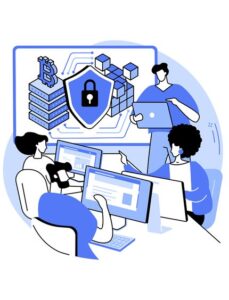
A device compliance policy is one of the most effective ways in reducing attack vectors. Device compliance means that only approved devices can access your organization’s resources, such as email and file storage. This verification step ensures that even if a user falls victim to a cyberattack and inadvertently hands over their credentials, the attacker will not be able to sign into the account from their device.
In today’s connected world, many organizations have staff that access their work email from a personal smartphone, so compliance policies need to be flexible in order to support Bring Your Own Device (BYOD) environments. Thankfully the process of registering a personal phone to a company profile is straightforward and doing so does not give the organization access to personal information. This process simply flags the phone as approved and avoids potential privacy concerns users may have.
Multifactor Authentication
We have covered multifactor authentication (MFA) many times in previous newsletters, but it remains one of the simplest and most effective ways to prevent unauthorized sign ins. MFA works by requiring more than one method of authentication when signing in.
Instead of just relying on passwords, MFA will have a user enter a code or approve a sign in request that is received on a separate device, most commonly their smartphone via an application. This simple process creates a barrier to accounts that passwords alone cannot provide. However, MFA is not infallible, and it is important to be vigilant of sign-in requests. To learn more, check out our previous newsletter: CSOLVE Newsletter – Best Practices Around Security
Passwords, Passphrases, and Passkeys
Do you know the difference between passwords, passphrases, and passkeys? While all three perform similar functions, they offer varied levels of protection against hackers. Everyone knows how passwords work these days, as they have been the standard requirement in technology use for decades now. They are a string of characters required to sign into an account or system.
Passphrases are like passwords, but more complex. Rather than being a short string of characters, they are longer and can contain spaces. It is best to use passphrases that are easy for you to remember, but hard to guess. Avoid popular sayings or phrases and avoid choosing song lyrics. Something nonsensical can be effective as well!
While passphrases are more secure than standard passwords, both have similar weaknesses: they can be stolen by cybercriminals. This is where passkeys come in. Passkeys are a sign in method that eliminates the need for a traditional password. Instead of having to enter a password/phrase when signing in, you instead use a biometric method such as a fingerprint or facial recognition scanner on another device, such as your smartphone.
Many services are beginning to roll out support for passkeys, and we recommend getting familiar with them and utilizing them where possible as they currently provide the most secure method of account protection.
Geo-blocking
Enabling a conditional access policy at your organization that restricts the physical locations users can sign in from is another effective security measure. Policies can be customized, allowing for broad ranges such as only allowing logins from Canada, or more granular to only allowing users to sign in while connected to a known IP address, such as the organization’s Wi-Fi network. In today’s hybrid work environments, flexibility is key, so exemption groups can be created in cases where users may need to travel for work.
Shared Account Policies
Many organizations have situations where multiple users will need to access shared resources to complete their tasks. From a security perspective, it is important to ensure that the method by which these accounts are created aligns with best practices. Rather than multiple people accessing the same resources with one shared account, each user should have their own account credentials that only they have access to. This ensures that the security measures detailed throughout this newsletter can be implemented.
Additionally, in the event of an incident, activity can be investigated and audited which is not possible if multiple people are using the same account.
Conclusion
As you can see, there are several considerations when it comes to the policies and procedures that should be implemented to keep your organization secure. While cybercriminals are most commonly targeting end users, as it is easier to hack a person than a network, there are still policies that can be enforced to strengthen your network.
If you have any questions about the policies detailed in this newsletter, contact the CSOLVE team to discuss!
www.csolve.ca
salesdesk@csolve.ca
1.877.567.6593